A Mac app for footage

You shoot. He carries it home.

We have all had Image Capture hang and stop, and we have all watched iCloud hit its limit while the phone is still full. Porter copies a card or an iPhone onto a drive you own, checks every file, files the footage, and tells you when the card is safe to format.

Version 0.1.0 · macOS 14 or later · No account · Your footage stays on this Mac

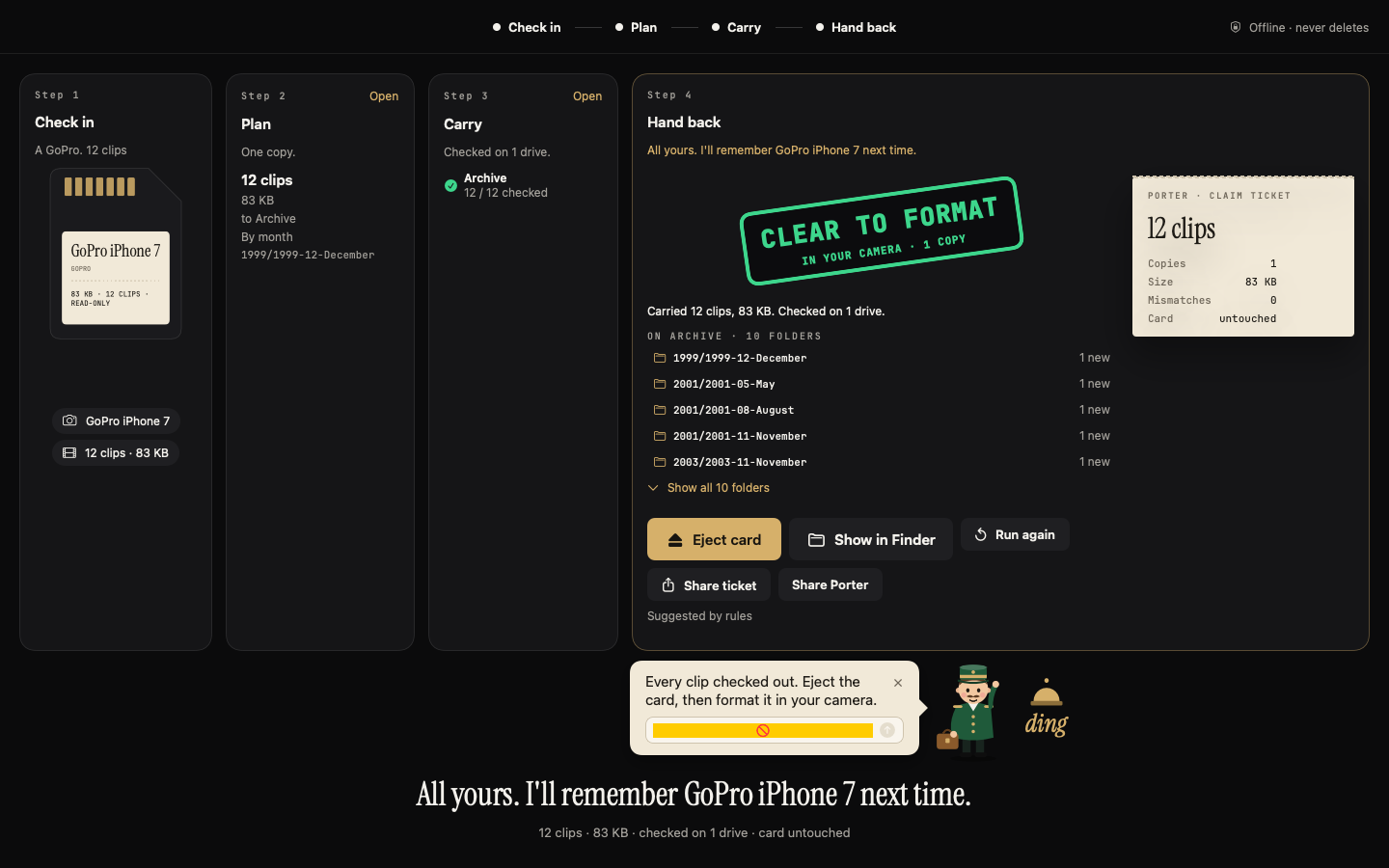
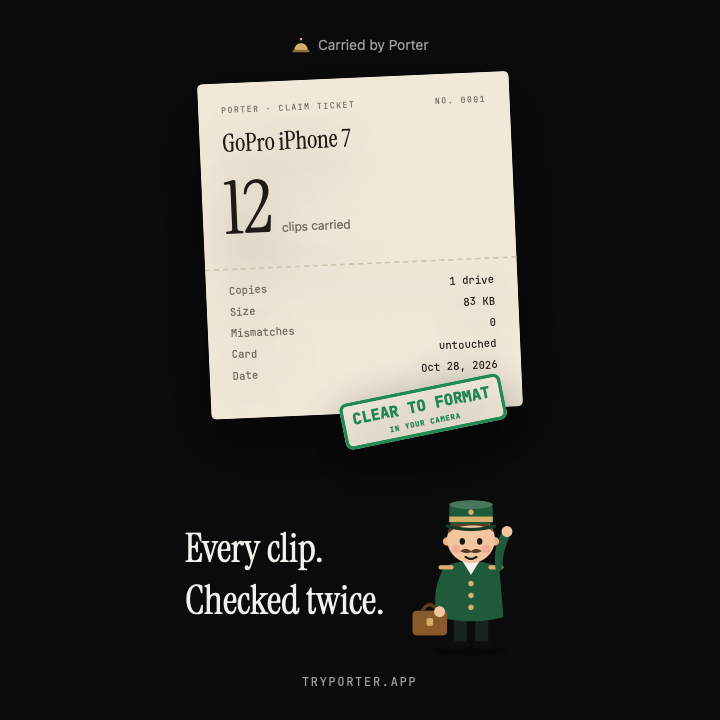
Porter after a copy, with a clear to format stamp and a claim ticket.

Instead of Image Capture

The dump freezes. iCloud fills up. The phone stays full.

  • The dump that stops

    Image Capture hangs. The progress bar creeps, then it stops. You restart the phone, the Mac, and the app, and you still do not know which files arrived.

  • Nowhere left to put them

    iCloud reaches its limit, so the photos have nowhere to go. The phone stays full, and then it cannot take a software update either.

Porter copies the photos and videos onto a drive you pick and checks every file. He does not need iCloud to have room, and he does not empty the phone for you. He never deletes them. When the stamp says backed up, emptying the phone is your call.

  • A checked copy

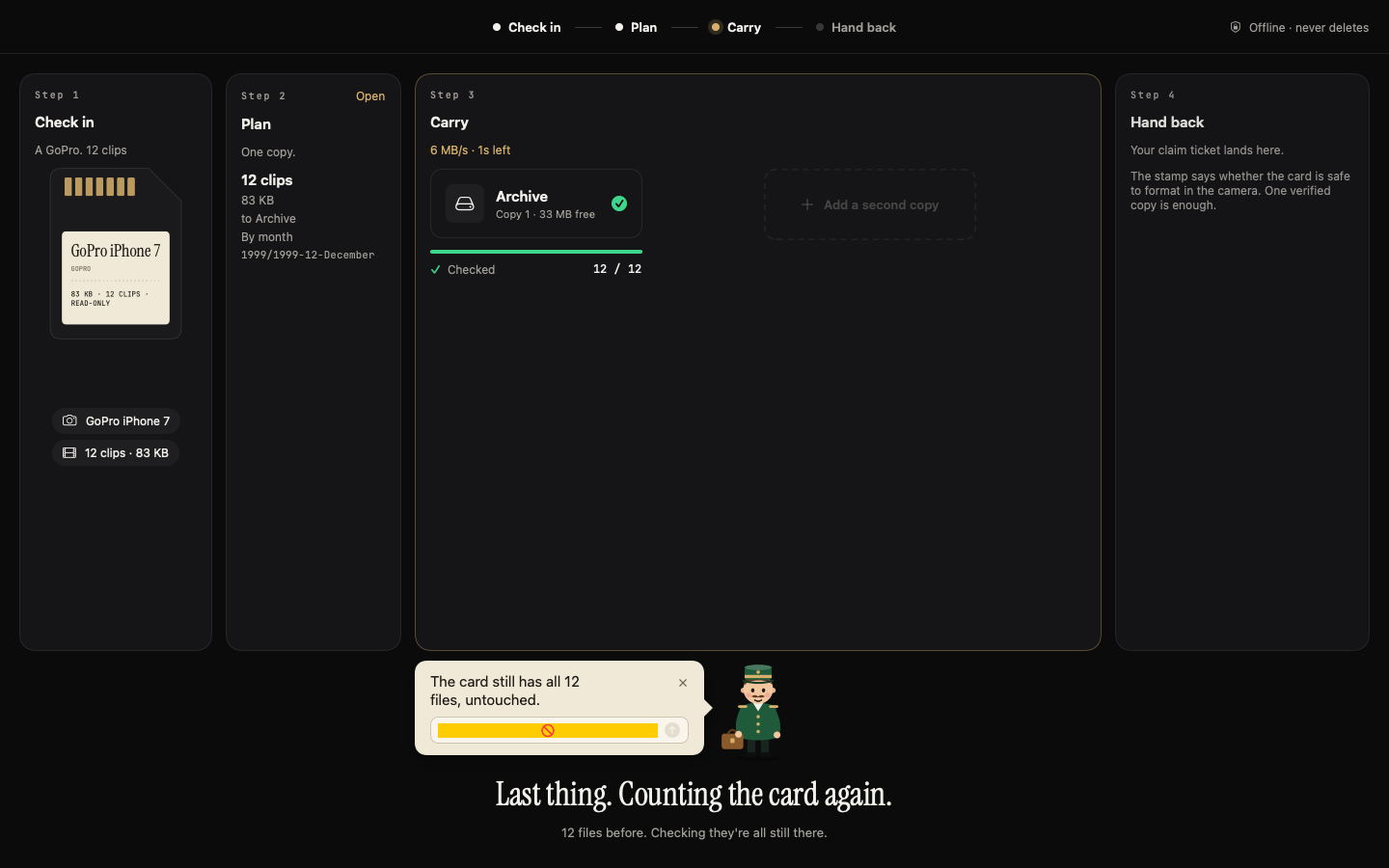
    Every file is read back and compared. The card is counted again.

  • A stamp first

    Clear to format, 1 of 2 copies, or not safe yet. You format in the camera.

  • A second drive

    Optional, in the same run. One read, written to each copy.

  • Folders, not a pile

    By month, day, place, or camera. He remembers the camera.

Job Image Capture Porter
Copy a camera card Yes Yes
Copy an iPhone Yes Yes
Check every file after it lands No Yes
Say when the card is safe to format No Yes
Second drive in the same run No Yes
Skip files already copied No Yes
Resume after a stop No Yes
File into folders No Yes
Remember the camera No Yes
Mirror two hard drives No Yes
Keep going when iCloud is full Stops Copies to your drive
Delete from the card or phone If you tell it to Never

What he does

Cards, drives, and the folders they land in.

The carry step, with every file checked on the drive and a second copy still optional.

Camera cards and iPhone photos

Off the card, off the phone, checked.

Plug in a card or an iPhone. Porter reads what is new, shows the plan, and copies to the drive you pick. A second drive is optional. Every file is hashed while it is written, then read back, and the card is counted again. The stamp is clear to format, 1 of 2 copies, or not safe yet. On an iPhone a clear run is stamped backed up, and Live Photos stay paired. He never writes to the card or the phone. If iCloud Photos is on, the app reminds you that deleting from the phone deletes everywhere.

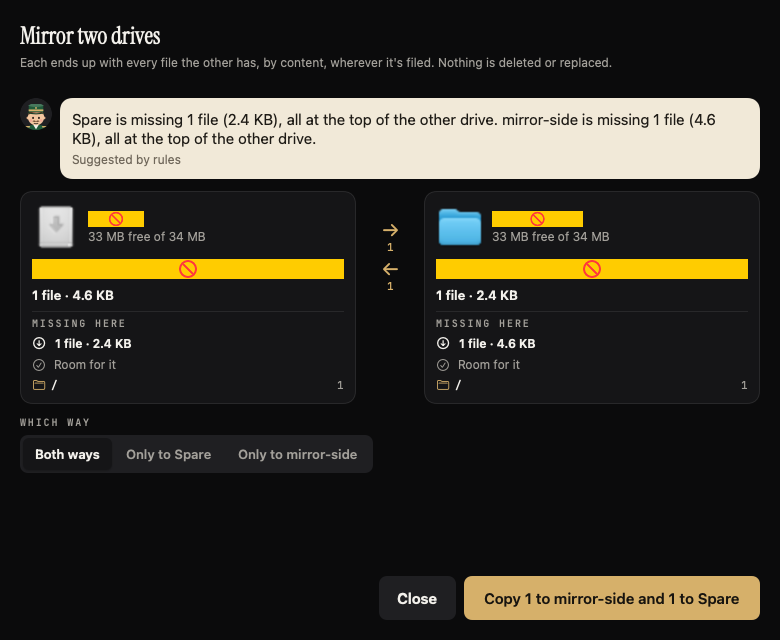
Mirror two drives, showing the files each one is missing before anything is copied.

Mirror two hard drives

Each one ends up with what the other has.

Pick any two drives. Porter matches files by content, wherever they are filed, and copies only what is missing. Nothing is deleted or replaced. If the same path holds two different files, he keeps both. What he copies is read back and checked.

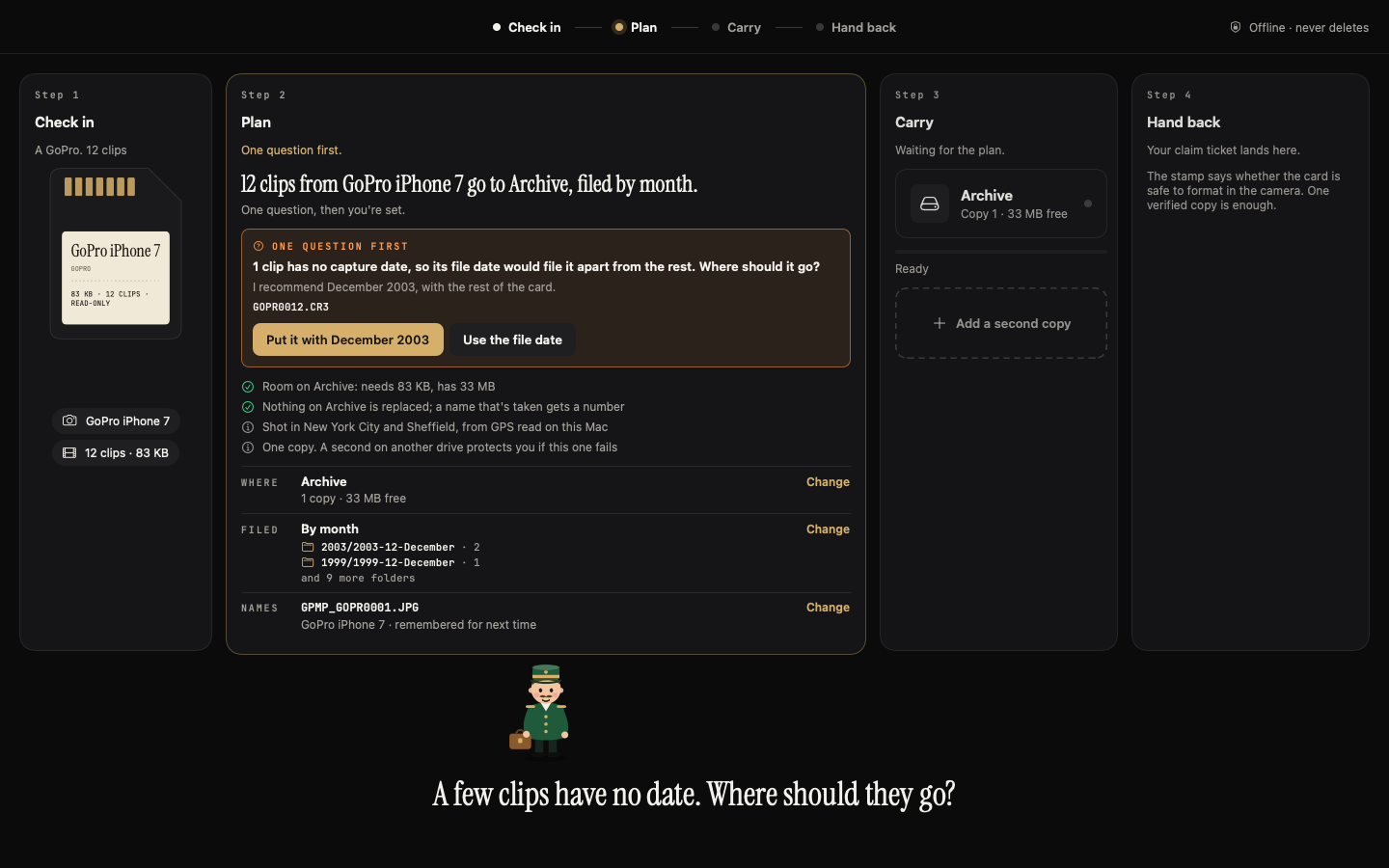
The plan, with the clip count, the drive, and the month folders, before the copy starts.

Filed, not dumped

You see the folders before he carries anything.

Choose how they land: by month, by day, by day and a shoot name, by place, or by camera. Places come from the photo's location, named on the Mac, and you can rename one. He remembers a camera by its serial, so the next card from that camera uses the same folders and names.

A run

The plan is on screen before anything is copied.

  1. 01Check in

    The card or the phone shows up. He reads it. He does not write to it.

  2. 02Plan

    You see the count, the drives, and the folders. One question at a time, if he has one.

  3. 03Carry

    One read, written to each copy, then checked. A stopped run can resume.

  4. 04Hand back

    The stamp and a claim ticket. Clear, still short a copy, or not safe yet.

Limits

What he will not do.

  • He does not format the card

    He does not erase the phone. You format in the camera, after the stamp.

  • He does not delete or overwrite

    Not the card, not the phone, not a file already on the drive.

  • A run stays on the Mac

    Footage is not sent off the machine. There is no account.

  • He is not an editor

    He is not a catalog. He gets the files home, checked and filed.

Questions

Before you download.

What does Download for Mac get me?

Porter.dmg, for macOS 14 or later. It is not on the App Store, and it does not ask for an account.

Image Capture keeps hanging. What is different?

Image Capture can stop halfway and leave you guessing which files arrived. Porter hashes each file while he writes it, reads it back, and counts the card again. The stamp stays not safe yet until that check passes. A stopped run can resume, and files already copied are skipped by content.

My iCloud is full. Does Porter free it?

No. He does not free iCloud, and he does not buy you more space. He copies the photos and videos onto a drive you pick and checks every file, so the backup does not depend on iCloud having room. If iCloud Photos is on, deleting from the phone deletes everywhere. The app says so. Emptying the phone is your call, after the stamp says backed up.

Does he delete anything from my card or phone?

Never. He does not write to the card or the phone, in any mode. Image Capture can delete from the device if you tell it to. Porter will not.

Does my footage get uploaded?

No. A run makes no network calls. The words he says can come from a model on the Mac, and that model does not decide the verdict. The footage stays on your drives.

Can he copy to two drives?

Yes. One copy is the default. A second drive is optional, in the same run, from the same read. If that drive is missing, he can catch it up later. Until both are checked, the stamp says 1 of 2 copies.

What does Mirror do?

Pick any two drives. Each ends up with every file the other has, matched by content, wherever it is filed. Nothing is deleted or replaced. A name clash keeps both files. What he copies is read back and checked.

How does filing work?

By month, by day, by day and a shoot name, by place, or by camera. Places are named on the Mac from the photo's location, and you can rename one. He remembers a camera by its serial, so the next card uses the same folders and names. You see the plan before he copies.

A claim ticket stamped clear to format, with Porter.

Hand back

When the stamp lands, you know.

Clear to format, still short a copy, or not safe yet. The words do not change.

Version 0.1.0 · macOS 14 or later · No account